ClearCalc
Accurate, upfront cost estimates for patients
Designing a rule interpreter to replace Excel, so patients’ out-of-pocket estimates stay accurate.
My role
Interaction Designer
Turned the client brief into flows and wireframes, then built the clickable prototype and wrote interaction notes for engineering.
Teammates
Rahul & Nida
Rahul led design and product strategy. Nida led visual design, the style guide and the visual handoff.
Timeline
8 weeks
Discovery, workflows and sketches, wireframes, then visuals and a clickable prototype.
At a glance
The rule engine that replaced spreadsheets
The problem
Estimates ran on rules kept in Excel
Before treatment, patients want to know what they’ll owe. A cost estimator works that out for the clinic by asking the patient’s insurer what their plan covers. But insurers don’t reply in plain language. Each one sends back its own codes, and working out what those codes mean for the patient isn’t easy. A handful of admins did it with rules kept in Excel. ClearCalc is the rule engine I designed to replace those sheets and interpret the replies.
- Why it’s hard
Every insurer codes its reply differently, so each one needs its own interpretation rules. The rules are hard to read, and if one is wrong, every estimate that uses it is wrong too.
- What went wrong
Every rule was written and changed by hand. As the rules multiplied, the Excel sheets got slow, hard to track and risky to change.
- How I got up to speed
I studied the client’s documents and the Excel sheets, watched admins work over screen shares, and did my own research.
The brief
What the admins needed
Working with the client, I turned what I’d learned into a design brief: one goal, and the needs that mattered most.
- See every rule’s status at a glance
Active, pending, suspended, retired or draft.
- Know who changed what, and when
A clear history for every rule.
- Replace an old rule safely
Swap in a better rule without breaking estimates.
- Schedule changes ahead of time
Set the date a rule goes live, retires, pauses or gets replaced.
Mapping the work
Eight tasks to start, then more
With the brief agreed, I listed everything an admin needed to do in the tool. That came to eight tasks:
- Create a new rule
- Replace one rule with another
- Delete a draft rule
- Suspend a rule for a while
- Retire a rule
- View a rule’s history
- Upload rules from a spreadsheet
- Download rules to a spreadsheet
I then mapped each task as a flow, screen by screen. Under every screen I wrote down three things: its goal, the design problems it raised (“how can we…?”) and the design opportunities it opened up (“what if…?”). Here’s the flow for creating a rule.
One screen from that flow: creating the rule itself
- Goal
- Make creating a rule simple and flexible.
- Design problem
- How can we make creating a rule easy and intuitive?
- Design opportunity
- What if a rule read like a simple sentence, “if this happens, then do that”?
That last question shaped the whole product. The idea came from IFTTT (“If This Then That”), an app where people set up automations as simple if-this-then-that sentences. Writing rules the same way pointed toward the IF/THEN rule builder.
I did the same for all eight tasks, and the problems and opportunities I found are what I solved next.
The other seven flows: replace, delete, suspend, retire, history, upload and download. Click any to view full size.
Design problems
Problems that shaped the product
Every screen raised its own design problems. These are the ones that shaped the product most, how admins create a rule and how they schedule changes to one.
The rest, like seeing every rule’s status at a glance, setting rule order, bulk spreadsheet edits and an audit trail, show up in the final designs.
Design problem 1 · How might we
…make creating a rule quick and intuitive?
I sketched three ways to build a rule.
I took two directions into wireframes. Guided questions became a six-step wizard. It was easy to follow, but slow.
Expandable panels and One long form came together as a single screen, with the conditions on the left and the outcome read back as a plain sentence on the right.
Only a handful of expert admins would create rules, and they’d do it many times a day. Speed mattered most, so we chose the single screen.
That speed came with a safeguard. One rule can change many patients’ estimates, so activating, replacing or retiring a rule always asks for confirmation first.
The wizard: six steps to build one rule (dropped)
Design problem 2 · How might we
…let admins schedule changes without confusion?
Rules often need to change on a set date: a new rule goes live next month, or an old one retires at the end of a contract. My sketches gave every rule actions to retire, suspend or replace it, with a confirmation that shows the full rule before anything changes.
In the wireframes we tested how many scheduled changes a rule could have waiting: one, or many. Many made the interactions complicated and hard to read. So each rule carries one upcoming change, shown right in its row, that can be rescheduled, run now or cancelled.
Behind these decisions
Many rounds before each answer
None of these choices came in one pass. I sketched each key screen several times, then wireframed the strongest ideas as clickable scenarios, one for each task, so I could test every flow from start to finish. Those wireframes then grew into the high-fidelity prototype.
- 1SketchesQuick variations of the key screens
- 2WireframesWorking out the logic, structure and patterns
- 3Clickable prototypeHigh-fidelity screens that set the visual theme
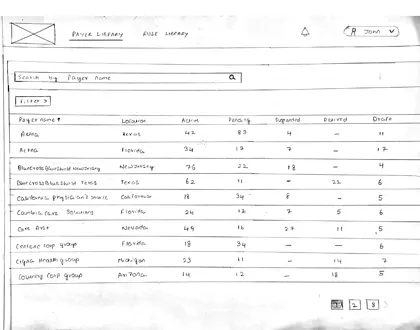
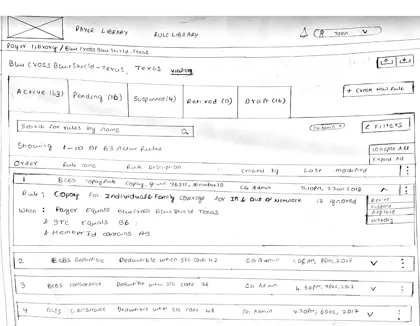
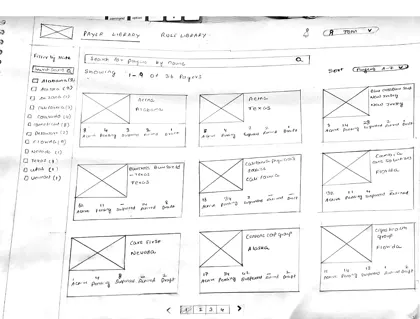 SketchesThe rule library and an insurer’s rules, three rounds each
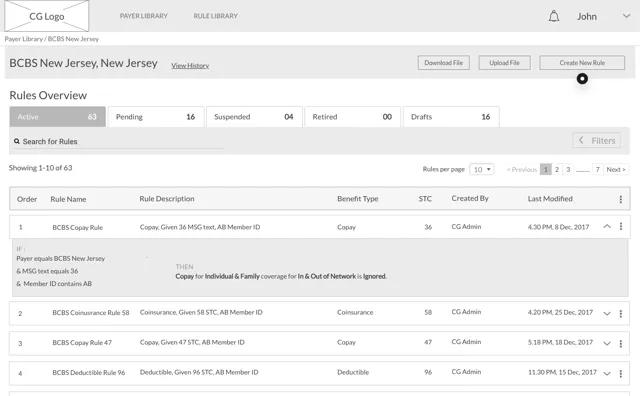
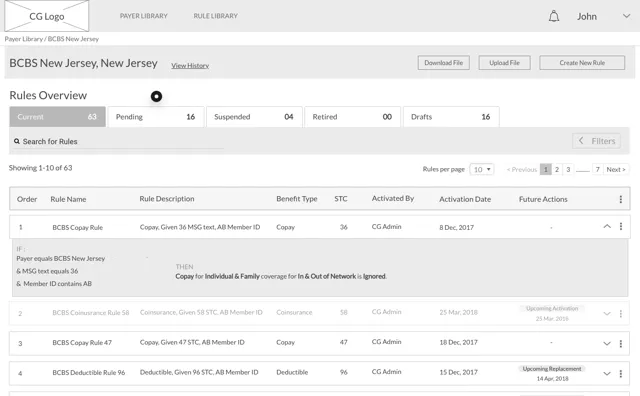
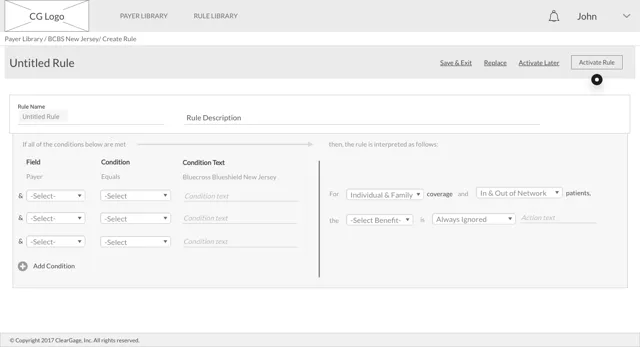 WireframesAn insurer’s rules, from the first version to the final one
Final designs
From wireframes to a clickable prototype
- Nida
Designed the final visuals and handed off a style guide, visual specs and assets.
- Me
Worked on the hi-fi screens with Nida, built the clickable prototype, and checked every screen kept the wireframes’ functionality.
- Handoff
Interaction notes describing every element and term, so ClearGage’s PM and engineers could build it without guessing.
Try the prototype
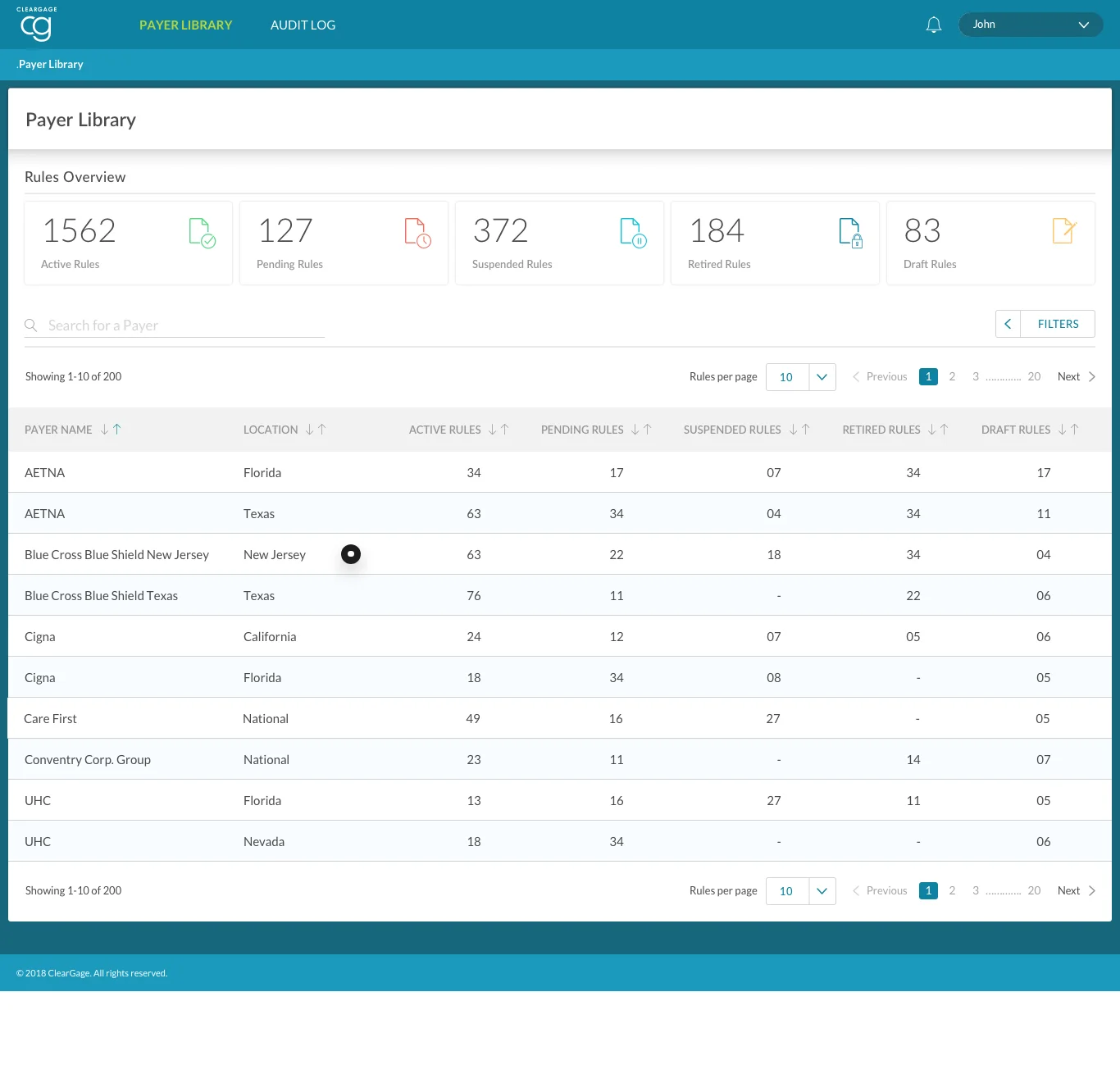
Click the highlighted spot to move through the flow. Click anywhere else to see where you can click.
Outcome
A rule engine, built from the prototype
Every estimate a patient sees depends on rules being right. In eight weeks, a fragile spreadsheet process became a clear, safe tool for keeping them right. I handed the clickable prototype and my interaction notes to ClearGage’s PM and engineers, and they built the rule engine from them.
- 8weeks, brief to clickable prototype
- 21sketches
- 97wireframes
- 54high-fidelity screens
What changed for admins
| Task | Before, in Excel | After, in ClearCalc |
|---|---|---|
| Seeing status | Scroll through sheets to piece it together | Every insurer’s rules counted by status, at a glance |
| Writing a rule | Written cell by cell in a spreadsheet | IF conditions that read back as a plain sentence |
| Changing a rule | Edited in place, with no side-by-side check | Replaced side by side, or scheduled ahead of time |
| Mistakes | Hard to spot, hard to reverse | Confirmation before big changes, and Undo after |
| History | No record of who changed what | An audit log for every rule |
What I delivered
- Workflows for every admin task, each screen with its goal, design problems and opportunities
- Sketches and wireframes that settled the IF/THEN rule builder and the single-screen layout
- A clickable prototype of the full tool
- Interaction notes describing every element and term, so engineers could build it without guessing
What I learned
Reading the client’s documents and spreadsheets, and watching admins at work, is what made the IF/THEN builder obvious.
A wizard would have suited newcomers. A handful of expert admins needed speed, with safety built in through confirmations and Undo.
At times I lost the thread of a task. Going back to the workflows and the whole app kept every screen consistent.